

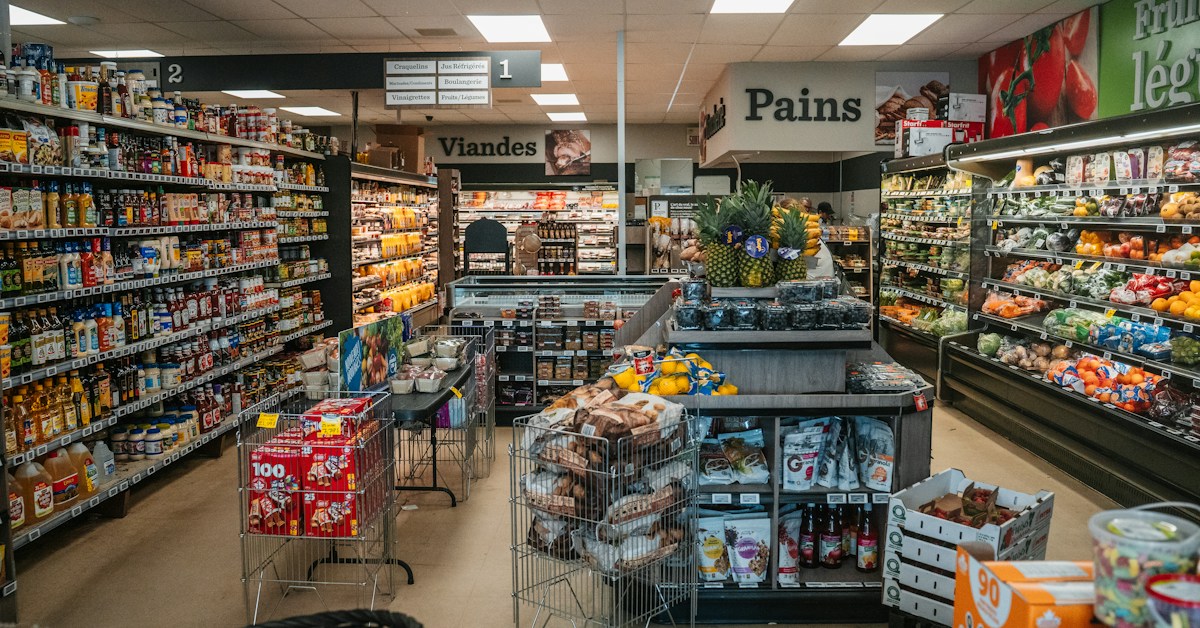
Start with Open Food Facts for open packaged-food records and barcode workflows, USDA FoodData Central for food and nutrient data, and The Food API's Complete Archive when you want to evaluate a commercial packaged-food download. The best food product dataset depends on whether you are building an app, enriching a store or researching a product category.
Food product datasets compared
| Source | Start here when you need | Delivery | Important check |
|---|---|---|---|
| Open Food Facts | Open packaged-food records and barcode workflows | API and bulk-data options | Exact product coverage, required fields and licence obligations |
| USDA FoodData Central | Nutrient data and clearly distinguished food data types | API, CSV and JSON downloads | Whether Branded Foods or another data type fits the question |
| The Food API | Nutrient, ingredient, allergen, sweetener, caffeine and alcohol data, plus product images | JSONL, CSV and SQLite | Sample fit, coverage and commercial terms |
1. Open Food Facts: an open packaged-food starting point
Open Food Facts provides product records through its documented API and supports bulk-data use. For a barcode app, catalogue experiment or open-data project, it is a practical source to evaluate against real products.
Inspect the exact fields you intend to show or analyse. A product may be found while still lacking information required by your application. Use your own assortment to assess usefulness instead of assuming an overall catalogue count describes your market.
Read its data and image licence guidance before combining or displaying records. Open data can support commercial applications, but the intended use still needs to comply with the relevant terms.
2. USDA FoodData Central: distinguish branded products from generic foods
FoodData Central contains several data types, including Branded Foods, Foundation Foods and dietary-survey foods. Its API guide explains access and describes the data as public domain under CC0. The download page provides CSV and JSON releases.
For a packaged-product project, evaluate the Branded Foods data rather than assuming every search result refers to a specific retail package. For a question about generic food composition, a different data type may be appropriate. Choose the type deliberately and retain that distinction in your application.
A nutrition research team and an online grocer should run different pilots. The first needs appropriate nutrient observations and units; the second also needs exact package identity and the fields required by its product pages. Check image needs separately rather than assuming a nutrient source supplies a complete merchandising asset library.
3. The Food API: a commercial archive for local import
The Food API offers The Complete Archive with packaged-food records, ingredient declarations, parsed ingredient trees, nutrition sets and product image references. It is available in JSONL, CSV and SQLite.
The sample schema keeps serving and preparation context alongside nutrition and represents package details separately from product names. Those distinctions matter when you compare products or enrich a store. A field's existence in the schema does not establish that it is populated for every record.
Evaluate the sample if you want to own the import and query workflow. Check coverage against your target products and review the commercial terms before purchasing. You receive files to import into your own systems.
What you are paying for: curation and a usable delivery
A downloadable file is easy to obtain. A catalogue your team can build on takes more work: checking identities, resolving conflicting details, preserving ingredient structure and keeping nutrition attached to the right serving context. The Food API makes that preparation part of the product.
Our workflow separates collected records from release records. It normalises supplier data, checks available label evidence, reviews exceptions and reconciles compatible facts. The archive packages the results as nested JSONL, relational SQLite and CSV tables, with primary product images linked through a manifest. Your team starts with that structure instead of designing the entire preparation pipeline.
USDA deserves a different comparison from community-contributed data. Its branded-food programme already uses data-entry validation, outlier checks and monthly sampling, according to its data quality overview. Its documentation explains how industry-supplied nutrient information is standardised. The reason to evaluate The Food API alongside it is the complete packaged-product workflow: ingredient trees, contextual nutrition, linked primary images and import formats together. Test that bundle against the work your team would otherwise need to do.
Which dataset suits a nutrition and allergen app?
A useful food scanner needs to answer more than “What product is this?” People want to see its nutrition, understand its ingredients, find allergen information and check the caffeine or alcohol content of a drink. Bringing those details together is where a richer product record becomes valuable.
The Food API combines nutrient data with serving context, ordered ingredient lists, declared allergens, precautionary allergen statements, identified sweeteners, caffeine information and alcohol content, where available. Barcode identifiers connect the scan to the product, while linked images help users recognise the item. Your team can build a product screen around those fields instead of assembling each layer separately.
- Nutrition views: show nutrient amounts alongside the serving size and preparation context that explain them.
- Allergen information: distinguish a package's “contains” declaration from “may contain” or facility notices, while retaining the original wording.
- Ingredient exploration: let users inspect the ordered declaration and its sub-ingredients, with named non-nutritive sweeteners and sugar alcohols available as a separate field.
- Caffeine information: show declared caffeine amounts in milligrams with the quantity they apply to, alongside package statements such as “Caffeine-Free” or “Decaffeinated”.
- Alcohol information: identify alcoholic beverages and display the stated alcohol by volume (ABV), where available.
USDA FoodData Central is a strong starting point when nutrient information is the main requirement. Open Food Facts is worth considering for an open-data barcode app. The Food API is designed for teams that want nutrition and richer packaged-product details together in a curated archive they can build on.
Keep unknown information visible in the app: an empty allergen field is not an allergen-free claim, and a stored record should not replace checking the current package label.
Which dataset should an e-commerce team test?
For a grocery store, start with the items you actually sell. The first metric is exact package matches. The next is usable enrichment: ingredients, contextual nutrition, package attributes and correctly linked images.
Include single items, multipacks, flavours and different sizes in the pilot. Keep matches requiring human review separate from approved matches. Preserve your own price and inventory, and review proposed catalogue changes before pushing them to product pages.
A source that covers most of your assortment with fewer ambiguous matches may be more useful than a larger source that misses your brands. Include integration and review effort in the decision, rather than comparing access cost alone.
Which dataset should a product development team test?
For packaged-food research, look for usable ingredient declarations and nutrition context within a clearly defined category. Preserve the original ingredient wording and document any normalisation you apply for analysis.
Separate package variants from distinct formulations where you can establish that relationship. Record the number of products with known values. If only 60 of a hypothetical 100-product set have ingredient declarations, any ingredient frequency should disclose that denominator.
Product data describes the observed catalogue. It does not establish sales volume, consumer demand or the technical feasibility of a recipe. Use it to form a research brief, then test commercial and formulation questions with the evidence they require.
How to run a fair comparison
- Define the job. Write down the user action or research question the data must support.
- Select a test basket. Include common products and difficult package variants.
- Inspect complete records. Check the original ingredient text, nutrition basis, missing fields and image references.
- Try the import. Load a sample into your actual workflow and measure the review work.
- Check updates and rights. Confirm release handling, identifiers and permitted uses.
Keep search results, exact matches and usable records as separate counts. A name match alone should not count as success for a barcode application or a nutrition comparison.
A catalogue that develops with the products
We are expanding our data sources over time to corroborate product information and capture updated ingredient declarations as products evolve. Comparing additional sources helps us investigate differences in product listings and distinguish corrections from changes to the formulation. The aim is to build a stronger record of each product, rather than simply accumulate more listings.
Frequently asked questions
What is the best free food dataset?
Open Food Facts and USDA FoodData Central are both worth evaluating. Start with the type of food record and the workflow you need; there is no universal winner for every application.
Is a recipe dataset the same as a food product dataset?
No. A recipe describes a dish and its preparation. A packaged-product record describes an identifiable commercial item. A recipe collection will not necessarily resolve the barcode on a grocery package.
Should I use a downloadable dataset or a food API?
Choose based on how you want to query and maintain the data. A download supports your own database; a hosted API serves requests from a provider. The dataset-vs-API guide compares those responsibilities.
To assess our archive, request The Food API sample. For a closer two-way comparison, read The Food API vs Open Food Facts.
Cover photo by clement proust on Unsplash.