

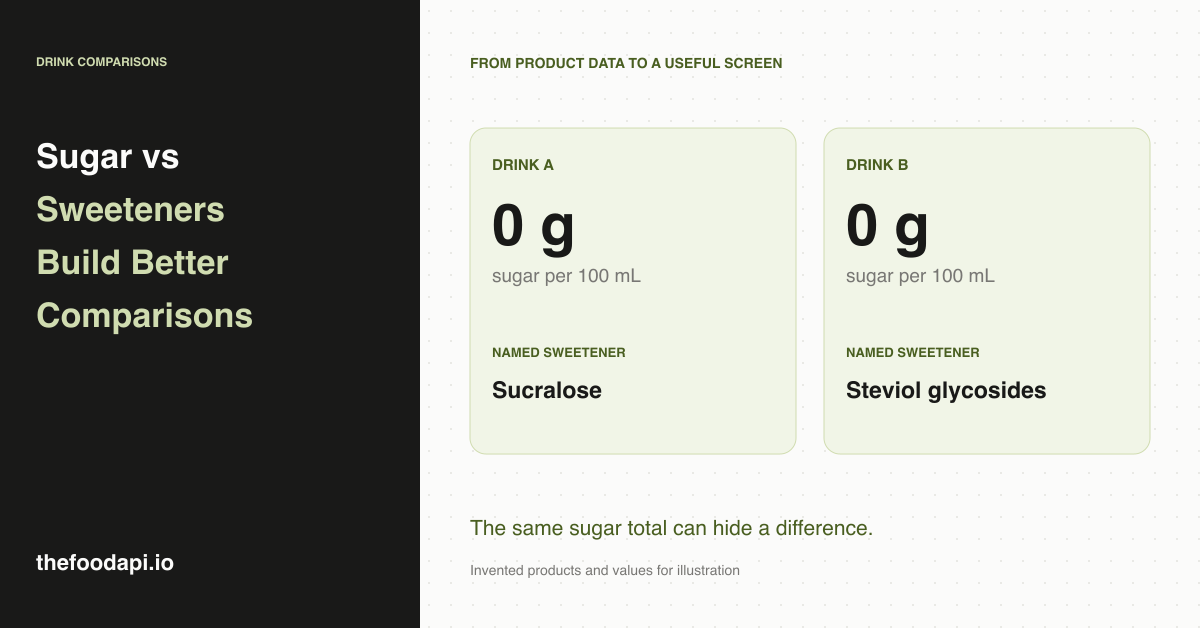
Two drinks can show the same sugar value and still use different sweeteners. If your product comparison only displays grams of sugar, customers will miss a distinction that could affect which drink they choose.
For your app or grocery catalogue, we would bring the nutrition values and ingredient information together. Show how much sugar is recorded, which named sweeteners appear in the ingredients and the portion those numbers describe. That gives you a more useful comparison than a single sugar badge.
Give sugar amounts and sweetener names their own place
Total sugars, added sugars and sweetener names answer different questions. The FDA's explanation of the Nutrition Facts label describes total sugars as including naturally occurring and added sugars. Added sugars identify the portion added during processing. A list of named sweeteners tells you which ingredients were used, rather than their combined weight.
In our archive, the sweetener field identifies named non-nutritive sweeteners and sugar alcohols. You would use the ingredient declaration for the wider formulation, including sugars, syrups and honey, and the nutrition panel for recorded sugar amounts. Keeping those sources together lets your team explain the drink without trying to derive its nutrition from the ingredient list.
A shopper might prefer one sweetener's taste over another even when the sugar totals look similar. Showing the names lets them make that choice without your app having to predict how sweet the drink will taste.
Make the comparison easy to read
The following is an illustrative layout, using invented products and values. It shows why a sweetener row adds something useful to a nutrition comparison.
| Detail | Drink A | Drink B |
|---|---|---|
| Comparison amount | 100 mL | 100 mL |
| Total sugars | 0 g | 0 g |
| Named sweeteners | Sucralose | Steviol glycosides |
| Full ingredients | Available on product page | Available on product page |
Keep the full ingredient declaration one step away from this summary. A named-sweetener list is useful for comparison, but customers may also want to read the rest of the formulation. Our parsed ingredient trees give you structure for browsing, while the original ingredient text remains available for display.
Compare sugar on the same quantity basis
A drink with 6 g of sugar per 100 mL cannot be compared directly with one showing 15 g per 250 mL. In this arithmetic example, they have the same sugar concentration. Putting both values on a common basis makes that clear.
You can offer a per-100-mL comparison for concentration and a per-container view for the amount in the bottle or can. Show the selected basis next to the values so the user can tell which comparison they are reading. For a concentrate or powder, keep prepared-drink values separate from values for the product as sold.
If a panel lacks the quantity needed for conversion, display its original serving information instead of manufacturing a comparable number. Likewise, retain "less than" wording when a label provides a bound. A missing sugar value should appear as unavailable, rather than zero.
Use our prepared records to build the comparison
We clean and normalise retailer-sourced product information into a downloadable archive. Your team can join the ingredients, named sweeteners and available nutrition by product, then add the comparison rules your interface needs. That preparation is particularly useful when you want to inspect the catalogue and add your own categories before launch.
Our October 2026 release records ingredient text on 99% of all products, parsed ingredient trees on 96%, named sweeteners on 8% and nutrition panels on 28%. The sweetener figure covers the whole catalogue and is not a drinks-only coverage rate. The nutrition figure also does not mean every panel contains a usable sugar value. A product without comparable nutrition can still show its ingredients and recorded sweetener names.
Build useful filters without guessing the formulation
A filter for products listing a particular sweetener can use the recorded identities. A "without this sweetener" filter needs more care: an empty sweetener field alone does not establish absence. Make the selection rule visible and preserve an unavailable state when you do not have enough information.
For the first version, we would prioritise the comparison itself: a consistent sugar basis, named sweeteners and a readable ingredient declaration. Those details give customers a practical reason to use your product page, while leaving room for more tailored preferences later.
Request our sample to explore how the ingredient and nutrition records fit together. If you are deciding how to run the catalogue, our dataset-versus-API guide explains the responsibilities involved.