

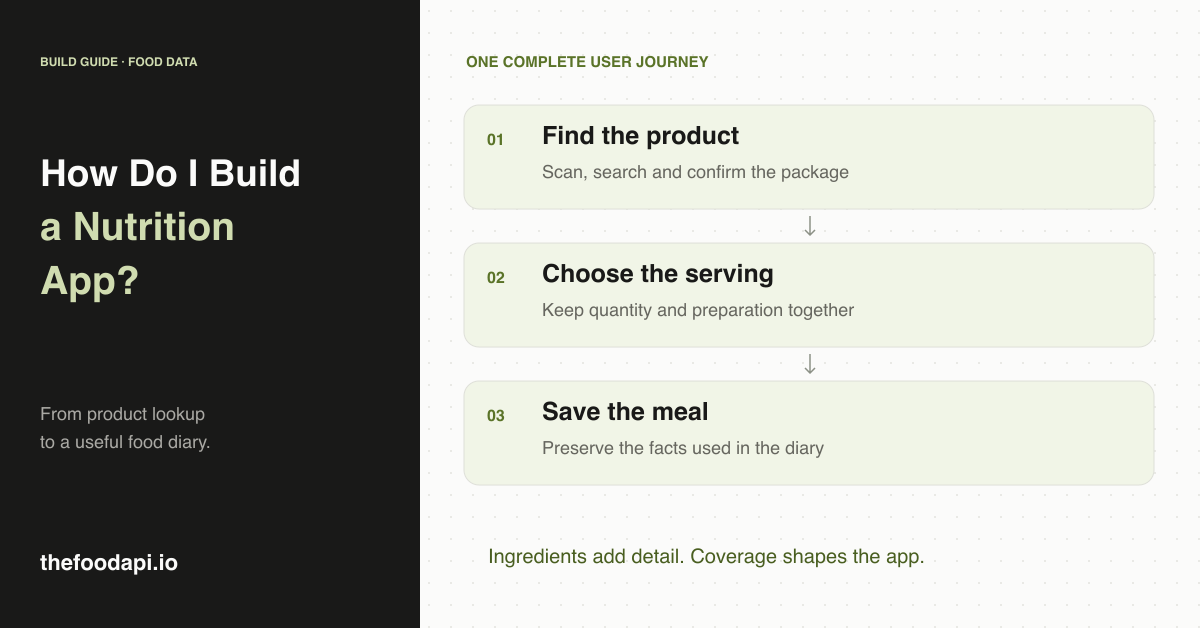
Start with one useful journey: find a food, confirm the product, choose how much was eaten and save it to a diary. That gives you the foundation of a nutrition app, which you can then extend with charts, recommendations and more advanced search.
We would choose the food data early, because it affects what you can show and calculate. A barcode may identify a product without providing the nutrition needed to log it. A calorie value may describe a serving, a whole container or the food after preparation. Your app needs to keep those distinctions visible.
We build The Food API to help teams work with prepared food-product records. Our archive is one option for this app, especially if you want to help people explore ingredients as well as log meals. We will explain where it helps and how to handle products without nutrition as we work through the first version.
1. Decide what kind of nutrition app you are building
You may want to offer both a food diary and ingredient comparisons. Each feature needs different information. A diary needs usable nutrient values for the food and quantity someone ate. An ingredient browser can be useful even when a product has no nutrition panel.
Decide who you are building for and which foods the first version will include. For example, a packaged-food diary for a particular market is a clearer starting point than an app promising every grocery product, restaurant meal and home-cooked recipe. Build the first release around a handful of screens: search or scan, product details, portion selection and the diary.
2. Choose data that supports your first features
Our archive can help if you want to show detailed ingredients for packaged foods. It includes ingredient declarations, parsed trees, product attributes and image references, with nutrition and other label details where recorded. You can import the JSONL, CSV or SQLite files into your own database, inspect the catalogue and prepare it for your app. We also plan to launch a hosted Food API by the end of 2026.
Our published coverage for the October 2026 release reports ingredient text on 99% of all products, parsed trees on 96% and nutrition panels on 28%. You can use those ingredient records for browsing and comparisons. For calorie logging, you will need a way to handle products without nutrition and check that each available panel includes the values and serving details your calculation needs.
If calorie logging is your main feature, you may want to combine our product detail with another nutrition source. USDA FoodData Central offers different data types for generic and branded foods. Nutritionix documents natural-language nutrition requests and branded lookup, while fatsecret documents nutrient and serving data. Try looking up foods your users are likely to eat and check whether each source returns usable portions and nutrient values.
If you combine sources, retain the source of each imported record and match the exact package. A similar product name is not enough to borrow another product's nutrition. Confirm that your intended storage and display arrangements fit each provider's terms.
3. Keep the first architecture simple
For a downloadable dataset, the basic path is straightforward: the app sends a search or barcode to your backend, the backend queries your product database, and the app displays the result. Meal entries belong in a separate user-data store. You can then refresh product records without overwriting someone's saved meals.
The Food API's SQLite file is a convenient way to explore the records locally. For a hosted application, use a database and backend your team can operate comfortably. If you already have an application backend, importing the food records there may be the simplest way to get started.
If you choose a hosted API, your backend can request the product information from the provider instead of looking it up in your own catalogue. Keep provider secrets on the backend and handle timeouts or missing results in the interface. In either design, a failed lookup should lead to a clear next action, such as searching by name or entering the label information manually.
4. Make the product and serving easy to confirm
After a scan, show the product name, brand, package size and image where available. Give the user a chance to correct the match before logging. The wrong flavour or pack can look convincing enough to slip past a screen that shows only a name.
Store barcodes as text to preserve leading zeros. Our records use validated GTIN-14 identifiers. Our integration example shows how to add leading zeros to a valid UPC-A or EAN-13 so it matches the 14-digit format used for lookup. Validate the scanned barcode before converting it to that format.
Next, let the user choose a labelled serving or enter an amount in the unit shown on the nutrition panel. The FDA explains that nutrition information is generally based on the labelled serving, and that serving size is not a recommendation for how much someone should eat.
As a simple arithmetic example, a product with 40 kcal per 30 mL contributes 20 kcal for 15 mL. Both amounts are in millilitres, so you can scale the calories directly. Do not convert grams to millilitres without the necessary product-specific information, or use an as-prepared panel for an as-sold quantity.
When a product has several panels, choose the one that matches how the food was prepared and the portion being logged. Preserve wording such as "less than 1 g" when displaying or scaling a value, so the user can see that it is an upper limit. If you cannot identify the serving amount, ask the user to check the label before calculating their portion.
5. Help users log foods with missing information
Design three outcomes for a scan: a product with usable nutrition, a product with incomplete nutrition, and no product match. A recognised item can still show its ingredients and image while clearly saying that nutrition is unavailable. A manual entry should remain identifiable as user-entered data.
Unknown nutrients should not quietly become zero in a daily total. If a logged item lacks a value, mark the affected total as incomplete. Save the selected portion, nutrient values used, source reference and entry time with the diary entry, so a later catalogue update does not silently rewrite an earlier meal.
Food logs are personal. Limit access to the account that owns them, keep them out of routine diagnostic logs and make editing and deletion straightforward. Include those controls in the first version so people can manage their food history from the start.
6. Add product detail that makes the app more useful
Our records can also help you explain what is in a product. You can show which sweetener a drink uses alongside its sugar content, display declared allergens separately from may-contain notices, and include recorded caffeine statements or alcohol percentages in the product details.
Across the October release, recorded allergen information appears on 21% of products, named sweeteners on 8%, caffeine statements on 17%, stated ABV on 1% and package warnings on 11%. Display a caffeine statement as label text rather than a measured amount. If allergen information is missing, tell the user it is unavailable rather than describing the product as allergen-free.
Start with readable product details before adding preference filters. For each filter, decide how to handle products without the relevant information and explain that choice in the interface. For example, show a missing allergen declaration as "information unavailable". If you add your own classification, label it separately from statements taken from the package.
Test the complete path from finding a food to saving a meal
Your first version should let someone find the correct food, understand the portion, save a meal and correct a mistake without getting stuck. Try those steps with half a serving, a prepared product, a missing panel, an unknown barcode and a product whose package size differs from a similar result. Also check that earlier diary entries survive a catalogue refresh unchanged.
If ingredients are a central part of your app, our prepared product records give you plenty to start building with. If you also want people to log a wide range of meals, choose the additional nutrition sources and manual-entry options early so those users have a way to complete their diary.
Request The Food API sample and build the scan-to-product screen first. Then add serving selection and one saved diary entry. For the integration trade-off, read food dataset vs API; for the broader source choice, see our food product dataset guide.